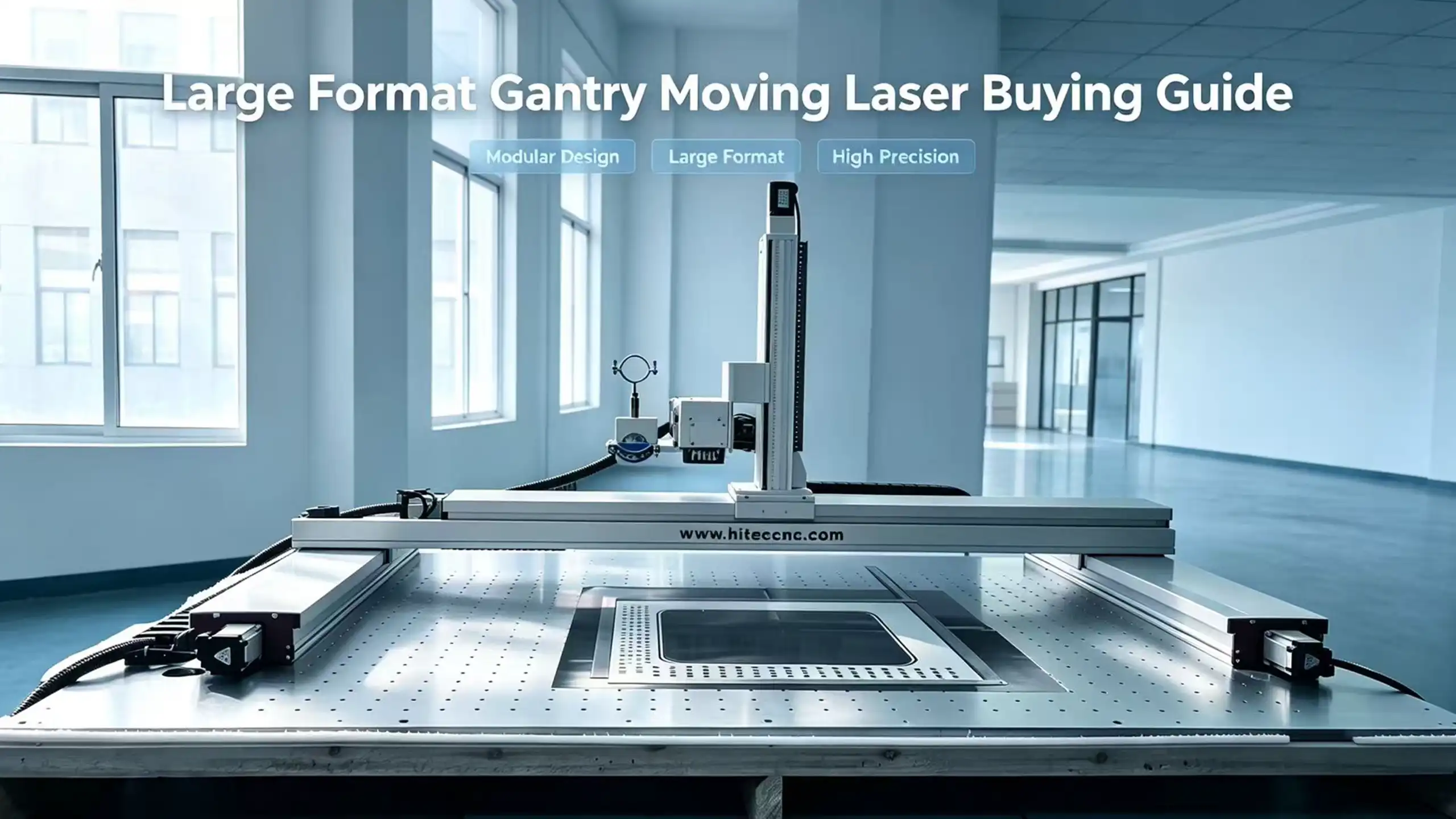
Can a Laser Mark a 4×8 ft Stainless Steel Sheet Without Repositioning?
Yes — but the answer depends on how the laser marking machine moves across the sheet.
A standard fiber laser marking machine with a small galvanometer field cannot directly process an entire 4 × 8 ft stainless steel sheet in one optical field.
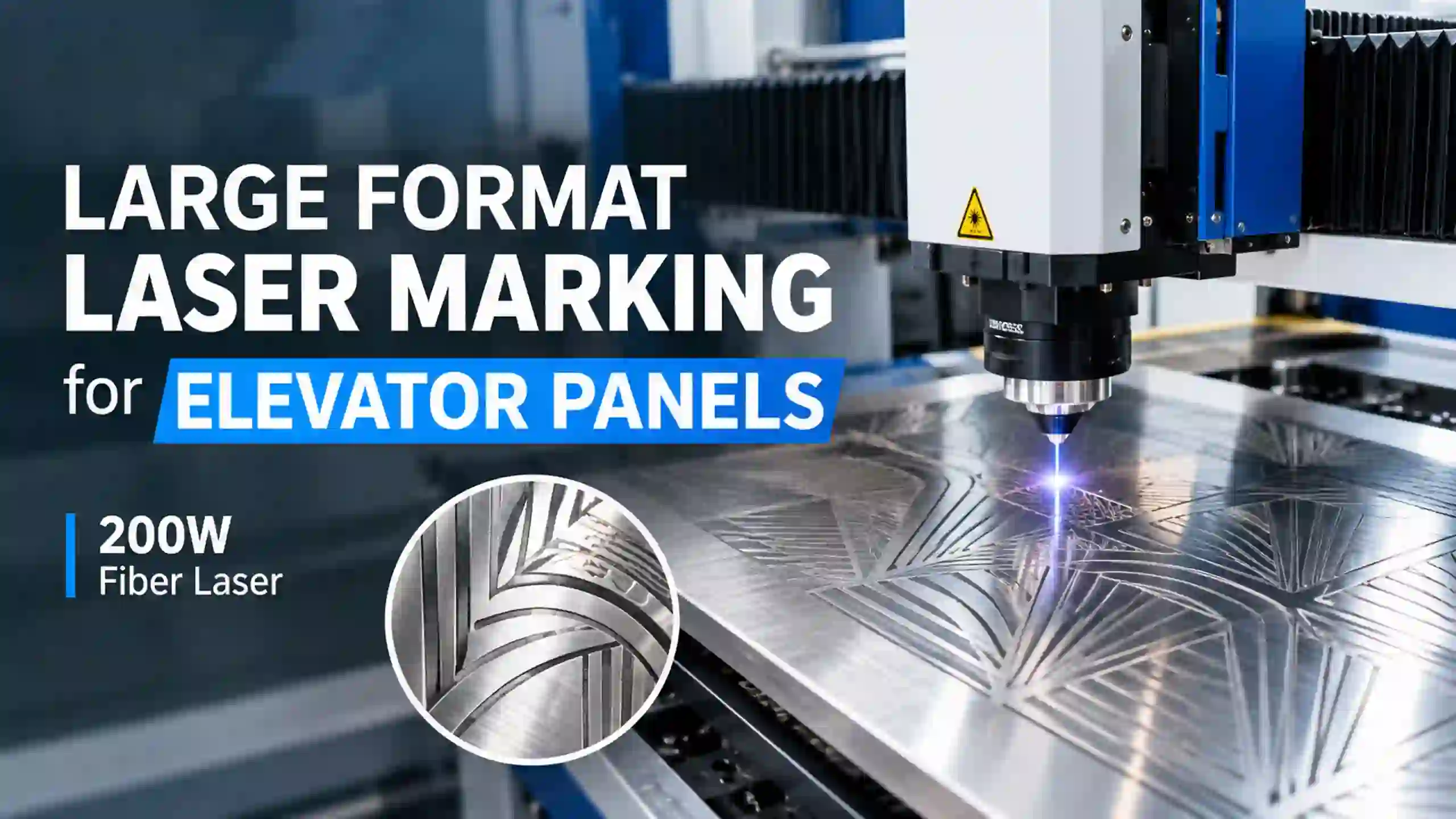
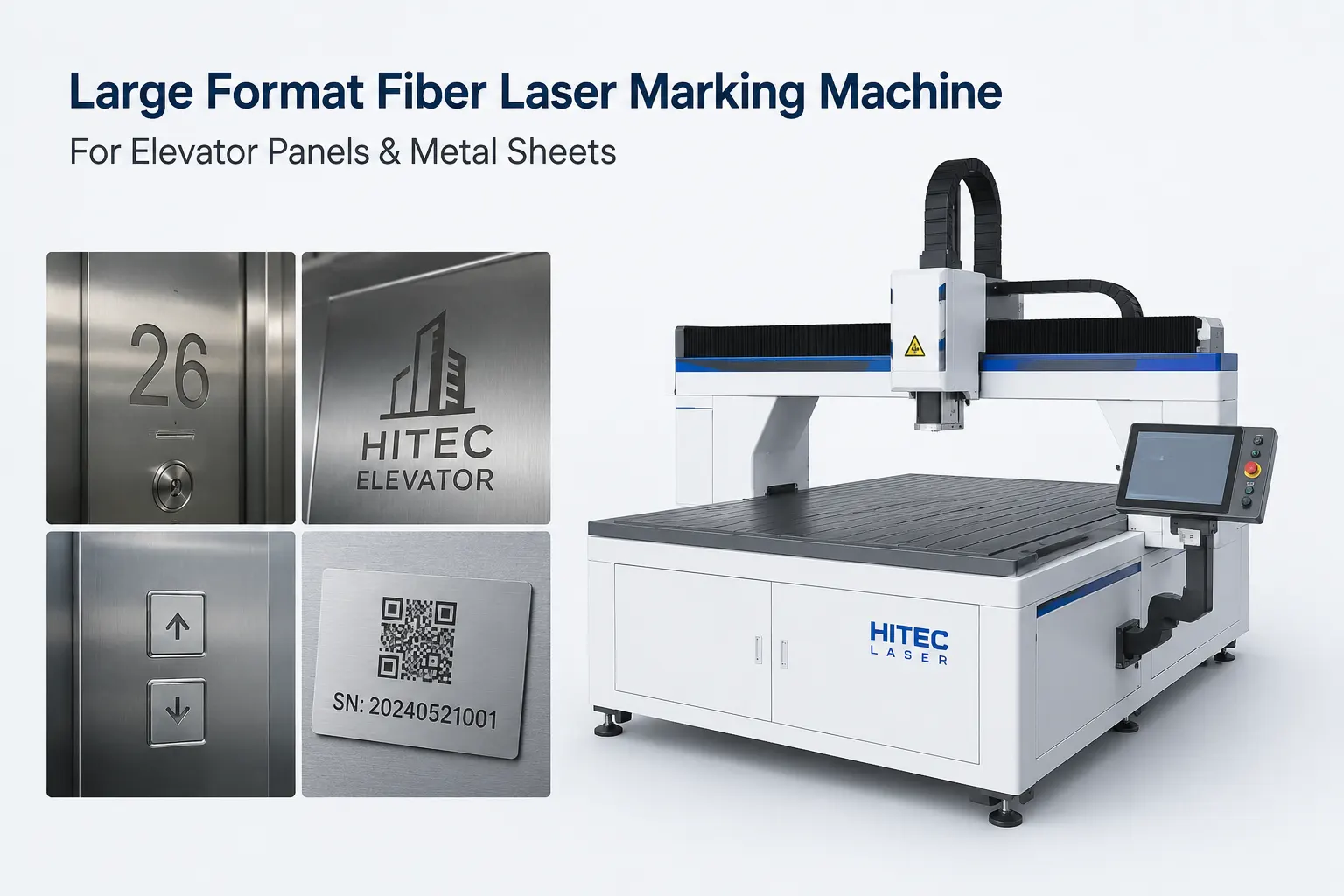
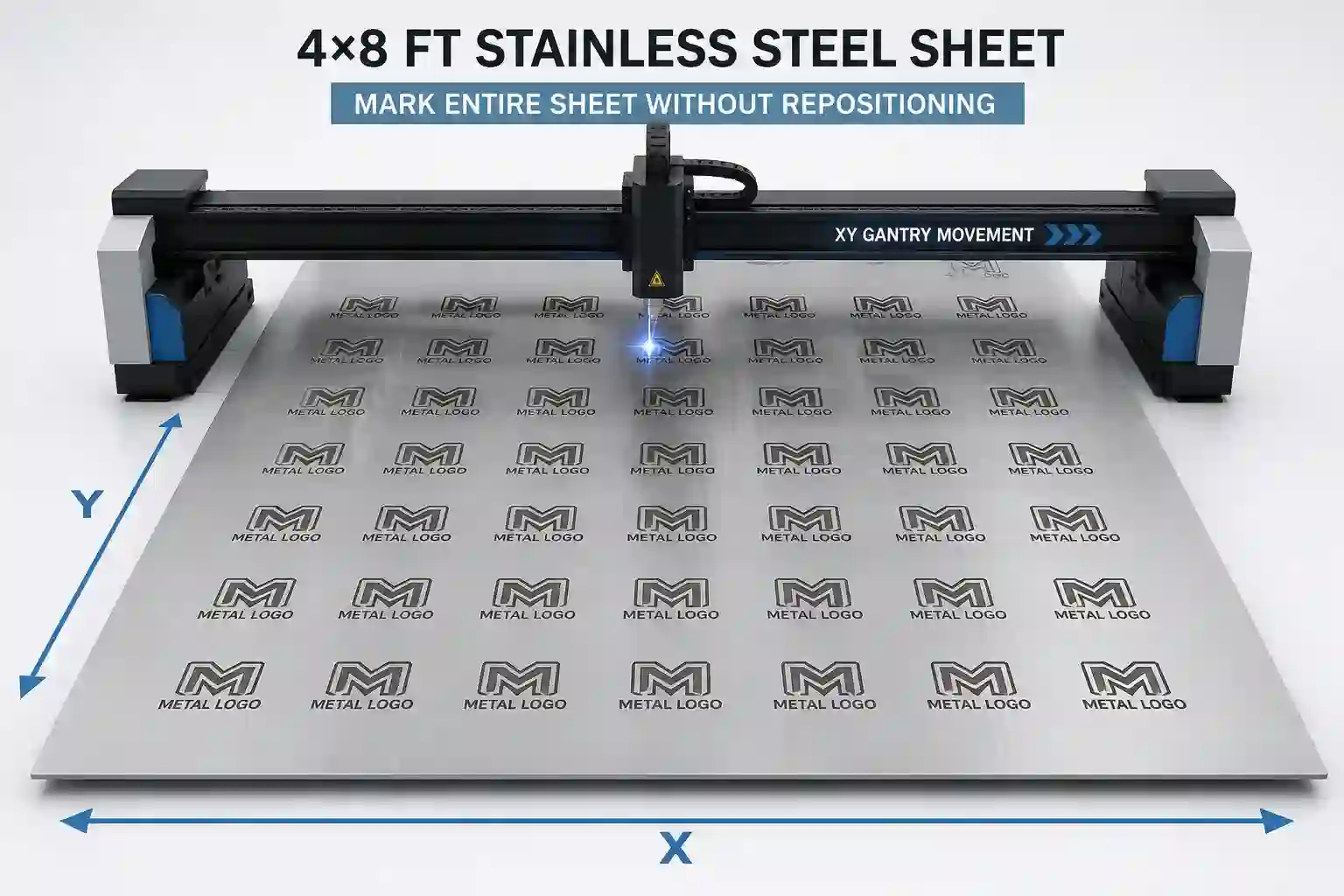
However, a properly designed large-format laser marking machine with XY gantry movement and galvanometer scanning can keep the entire sheet in position while automatically moving the laser across the workpiece.
For industrial manufacturers, this distinction is critical.
The real question is not:
“Can a laser mark stainless steel?”
It is:
“Can the laser mark my entire 4 × 8 ft sheet accurately, consistently, and efficiently without manually repositioning the sheet?”
For the right large-format architecture, the answer can be yes.
Quick Answer
A nominal 4 × 8 ft sheet is approximately:
48 × 96 inches
or:
1219 × 2438 mm
To process the entire sheet without manually repositioning the workpiece, the laser marking machine needs a working area large enough to accommodate the sheet.
For example, a 1300 × 2500 mm working area provides approximately:
51.2 × 98.4 inches
of nominal working space.
The key point, however, is that a large working area alone does not guarantee good marking quality.
The machine also needs:
Accurate XY positioning
A properly calibrated galvanometer
Stable laser output
Controlled coordinate mapping
Reliable mechanical motion
Stitching compensation where required
Consistent focus
Suitable software
A rigid machine structure
That is why large-format laser marking should be evaluated as a complete motion-and-optics system, rather than simply by laser wattage.
What Does “Without Repositioning” Actually Mean?
There are two very different meanings of large-format laser marking.
Method 1: Manual Repositioning
A conventional machine may work like this:
Mark → Stop → Move the sheet → Align → Mark → Stop → Move the sheet again
The laser itself may be very fast, but the operator must repeatedly reposition the workpiece.
For large stainless-steel sheets, this creates additional:
Setup time
Labor
Alignment work
Potential positioning errors
Operator dependency
Method 2: Automatic XY Gantry Movement
A large-format system can instead work like this:
Load full sheet → Locate → Start job → XY gantry moves automatically → GALVO marks → Continue
The stainless-steel sheet remains on the table.
The laser head moves to different positions across the workpiece.
This is the fundamental advantage of a large-format XY gantry laser marking machine.
How Does GALVO + XY Gantry Work?
The easiest way to understand the system is to separate the two jobs.
GALVO = Fast Local Scanning
The galvanometer rapidly moves the laser beam inside its optical field.
It is responsible for creating:
Text
Logos
QR codes
Graphics
Fine lines
Detailed engraving
Local surface marking
The GALVO provides the high-speed scanning capability.
XY Gantry = Large-Area Movement
The XY gantry physically moves the laser head across the large workpiece.
Instead of forcing one optical system to cover the entire 4 × 8 ft sheet, the mechanical axis moves the laser to different processing locations.
The basic workflow is:
XY Gantry Positioning
↓
GALVO High-Speed Scanning
↓
Complete Local Marking
↓
XY Gantry Moves
↓
GALVO Scanning
↓
Next Position
This hybrid architecture combines two capabilities:
Large-format coverage + high-speed local marking
Why Not Simply Use a Very Large Galvo Lens?
This is one of the most important questions buyers should ask.
A larger optical field sounds attractive:
“If a 200 × 200 mm lens works, why not just use a much larger lens?”
Because optical field size and marking performance are not independent.
As the scanning field becomes larger, the optical system must manage factors such as:
Beam geometry
Spot size
Field distortion
Focus uniformity
Energy density
Edge performance
Calibration
A very large optical field therefore should not automatically be interpreted as a large-format industrial solution.
For applications requiring a very large physical working area, combining GALVO scanning with mechanical XY movement can provide a more practical architecture.
4×8 ft Sheet Size vs. Laser Working Area
Before purchasing a machine, always convert the material size into millimeters.
Sheet Size | Approximate Metric Size |
4 × 8 ft | 1219 × 2438 mm |
48 × 96 in | 1219 × 2438 mm |
Recommended nominal working area | Around 1300 × 2500 mm |
A machine advertised as:
1000 × 1000 mm
cannot accommodate a complete 4 × 8 ft sheet.
A machine advertised as:
1200 × 1200 mm
also cannot accommodate the complete sheet.
Even though these are considered “large-format” compared with a conventional 110 × 110 mm marking field, they are still smaller than a 4 × 8 ft sheet.
This is why buyers should always compare:
Actual sheet dimensions vs. actual machine working area
rather than relying on the phrase “large format.”
Can the Laser Mark the Entire Sheet in One Pass?
This requires some clarification.
“Without repositioning” does not necessarily mean that the entire 4 × 8 ft sheet is scanned by one optical field in one continuous scan.
Instead, a large-format machine can automatically divide the work into processing regions while the workpiece remains stationary.
For example:
Zone A → Zone B → Zone C → Zone D
The XY gantry moves between the zones.
The GALVO performs the marking within each zone.
The operator does not need to manually move the stainless-steel sheet.
This is an important distinction when evaluating large-format laser marking equipment.
What Is Stitching in Large-Format Laser Marking?
Stitching refers to the alignment between adjacent processing fields.
Imagine that one large design extends beyond the optical field.
The machine must process:
Field A
and then continue with:
Field B
If the coordinate systems are not properly calibrated, a visible mismatch can occur at the boundary.
For example:
Correct:
───────────────┼───────────────
Design continues
───────────────┼───────────────
Incorrect:
───────────────┼
└──────────────
Visible offset
This is why large-format laser marking should be evaluated for field-to-field accuracy, not simply maximum marking area.
What Causes Stitching Errors?
There is no single cause.
Potential sources include:
Mechanical Positioning Error
The XY axis may not reach exactly the commanded coordinate.
Galvo Calibration Error
The optical field may not be accurately mapped to the machine coordinate system.
Lens Distortion
The optical field can behave differently near its edges.
Coordinate Mapping
The software must correctly relate:
Laser coordinates ↔ Galvo coordinates ↔ XY coordinates
Mechanical Rigidity
A large gantry needs sufficient rigidity to maintain positioning accuracy.
Thermal Effects
Long production cycles can cause changes in mechanical or optical conditions.
Workpiece Movement
A large sheet that is not sufficiently stable can introduce additional errors.
Therefore:
A large-format laser marking machine should be tested, not judged only from its specification sheet.
The Most Important Test: Mark Across the Entire Area
If a supplier tells you:
“Our machine can mark 4 × 8 ft.”
Ask for a full-area demonstration.
Do not test only one small logo in the center.
A meaningful test should distribute the artwork across the entire working area.
For example:
Test Location | What to Check |
Top-left | Position and marking quality |
Top-center | Consistency |
Top-right | Edge performance |
Center | Reference point |
Bottom-left | Positioning |
Bottom-center | Consistency |
Bottom-right | Edge performance |
This gives a much better indication of real machine performance.
The Boundary Test Is Even More Important
A particularly useful test is to place a graphic across two adjacent marking fields.
For example:
Field A | Field B
Then run a continuous design across the boundary.
Check for:
Visible offset
Double lines
Broken graphics
Uneven spacing
Changes in line width
Energy differences
Position mismatch
This is much more informative than a simple small-area marking sample.
Full-Sheet Production Test
For a customer producing metal logos or nameplates, an even better test is to distribute many individual designs across the sheet.
For example:
20–100 logos across one 4 × 8 ft sheet
The test should measure:
- Position consistency
Are the logos located where they should be?
- Marking consistency
Does the contrast remain consistent from one side of the sheet to the other?
- Cycle time
How long does the complete job actually take?
- Operator involvement
How many times must the operator intervene?
- Repositioning
Does the sheet remain stationary?
This is a much better representation of industrial production.
Why Maximum Marking Speed Can Be Misleading
Suppose a machine specification says:
2000 mm/s marking speed
That number does not tell you how long it will take to process a complete 4 × 8 ft sheet.
Actual production time depends on:
Artwork size
Fill density
Line interval
Number of objects
Number of passes
Laser parameters
Galvo acceleration
XY travel
Positioning
Software processing
Required marking depth
Material surface
Therefore, the more useful specification is:
Complete cycle time for the customer’s actual job
rather than:
Maximum theoretical galvo speed
Example: 100 Metal Logos on a 4×8 ft Sheet
Imagine a customer has a stainless-steel sheet containing 100 identical logos.
The production workflow could be:
Load sheet
↓
Locate sheet
↓
Import artwork
↓
Generate positions
↓
Start automatic processing
↓
XY Gantry moves to Logo #1
↓
GALVO marks Logo #1
↓
XY Gantry moves to Logo #2
↓
GALVO marks Logo #2
↓
Continue automatically
↓
Complete 100 logos
The important advantage is that the operator does not have to:
Stop → Move → Align → Restart
100 times.
What Stainless Steel Can Be Marked With a Fiber Laser?
Fiber lasers are widely used for stainless-steel applications.
Depending on the laser source and parameters, applications may include:
Surface marking
Permanent identification
Serial numbers
QR codes
Logos
Text
Black marking
Annealing
Color marking
Deep engraving
However, there is no universal “stainless-steel parameter.”
The result depends on:
Stainless-steel grade
Surface finish
Laser wavelength
Laser power
Pulse width
Frequency
Speed
Line spacing
Focus
Number of passes
Recent MOPA-fiber guidance continues to emphasize that pulse width, frequency, speed and power interact to determine the resulting stainless-steel mark, rather than there being one universal parameter setting.
That is why a serious supplier should test the customer’s actual material.
Does 200W Mean the Machine Is Better Than 100W?
Not necessarily.
For large-format marking, laser power solves only part of the problem.
A higher-power source can be advantageous for applications such as:
Deep engraving
High-volume production
Faster material removal
Large-area engraving
But laser power does not automatically solve:
Stitching error
Positioning accuracy
Gantry rigidity
Lens distortion
Software coordination
Sheet alignment
A 200W laser on a poorly calibrated motion system is not automatically better than a properly engineered 100W system.
The correct specification depends on the customer’s production requirement.
What About MOPA Fiber Lasers?
MOPA fiber lasers provide additional control over pulse characteristics compared with many conventional fixed-pulse fiber configurations.
This can be useful for applications requiring controlled surface interaction, particularly:
Black marking
Fine stainless-steel marking
Color marking
Heat-sensitive applications
Detailed surface processing
For stainless steel, pulse width and frequency can significantly affect the interaction between the laser and the material.
However, the exact settings should always be validated through a material test.
Large Format Laser Marking vs. Manual Repositioning
The difference is easiest to understand from the production workflow.
Production Step | Manual Repositioning | XY Gantry |
Load sheet | Yes | Yes |
Move sheet manually | Repeatedly | No |
Manual alignment | Repeatedly | Minimized |
Operator intervention | High | Lower |
Full-sheet processing | Possible with repositioning | Automatic |
Large-format production | Labor-intensive | Better suited |
Repeatability | Operator-dependent | Machine-controlled |
The goal of a large-format system is not merely to make the laser field bigger.
The goal is to automate the movement required to cover the entire workpiece.
What Is the Best Architecture for a 4×8 ft Sheet?
For applications where the customer wants both:
Large working area
and
Fast detailed marking
a GALVO + XY gantry architecture is particularly attractive.
The basic principle is:
XY Gantry
Provides:
Large-area positioning
GALVO
Provides:
High-speed local scanning
Laser Source
Provides:
Material processing energy
Software
Provides:
Coordinate synchronization and job control
These four systems must work together.
That is why a large-format laser marking machine should be evaluated as a complete system rather than as a laser source alone.
4×8 ft Laser Marking Machine Buyer Checklist
Before purchasing, ask the manufacturer these questions.
1. What is the actual working area?
2. Can a complete 4 × 8 ft sheet remain on the table during the entire job?
3. Does the system use XY gantry movement, large-field GALVO, or GALVO + XY gantry?
4. What is the positioning accuracy across the complete working area?
5. What is the measured stitching error between adjacent fields?
6. Can you demonstrate a full-area test?
7. Can you test my actual stainless-steel sheet?
8. What is the complete cycle time for my actual artwork?
9. Can you mark multiple logos across the entire sheet automatically?
10. How does the software coordinate the GALVO and XY movement?
These questions are much more useful than simply asking:
“How many watts is the laser?”
How to Calculate the ROI of Large-Format Laser Marking
The ROI of a large-format machine should be based on the entire production workflow.
A simplified model is:
Total Production Cost = Laser Time + Labor + Setup + Repositioning + Rework
A large-format system can potentially reduce:
Manual positioning
Alignment time
Operator intervention
Repeated setup
Production errors
For a high-volume factory, even a small reduction in operator time per sheet can become significant over hundreds or thousands of sheets.
Example
Suppose:
100 sheets/month
and manual repositioning requires:
10 minutes per sheet
That represents:
1,000 minutes/month
or approximately:
16.7 hours/month
If a large-format system substantially reduces that manual work, the saving can be calculated directly into the machine’s ROI.
The actual savings should always be calculated using the customer’s real production data.
What Should a Real Acceptance Test Include?
For an industrial machine, the best approach is to define an acceptance test before purchase.
Test A — Full Sheet
1219 × 2438 mm stainless steel
Verify complete sheet coverage.
Test B — Positioning
Place reference marks at multiple locations.
Verify coordinate consistency.
Test C — Stitching
Place graphics across adjacent processing fields.
Measure the transition.
Test D — Edge-to-Edge
Compare marking quality across the entire area.
Test E — Multiple Logos
Mark a production-style layout.
Test F — Cycle Time
Measure the complete job from start to finish.
Test G — Repeatability
Repeat the same job and compare the results.
This turns “large-format capability” from a marketing claim into a measurable engineering requirement.
What About Machine Safety?
Large-format industrial laser marking systems should also be evaluated for appropriate safety engineering.
Laser processing machines present laser radiation hazards as well as other potential machine hazards. ISO 11553-1:2020 specifies laser safety requirements for laser processing machines and remains the current confirmed edition.
Depending on the machine design and installation, buyers should consider:
Protective enclosure
Safety interlocks
Emergency stop
Appropriate warning labels
Laser safety classification
Fume extraction where required
Electrical safety
Machine guarding
Risk assessment
For European and North American industrial installations, safety and compliance requirements should be evaluated according to the machine configuration and destination market.
4×8 ft Laser Marking: The Questions Buyers Really Need to Ask
The wrong questions are:
“How many watts?”
“How fast is the galvo?”
“What is your biggest lens?”
The better questions are:
Can the complete sheet stay on the table?
How accurately can the system position across 1300 × 2500 mm?
How is the GALVO synchronized with the XY gantry?
What is the measured stitching error?
What is the complete production cycle time?
Can you demonstrate my actual stainless-steel sheet?
These questions lead to a much more meaningful machine comparison.
FAQ
Can a laser mark a 4×8 ft stainless steel sheet without repositioning?
Yes. A properly designed large-format laser marking machine can process a full 4 × 8 ft stainless-steel sheet while keeping the workpiece stationary. An XY gantry moves the laser head across the sheet while the GALVO performs local high-speed marking.
What size is a 4×8 ft stainless steel sheet?
A nominal 4 × 8 ft sheet is approximately 1219 × 2438 mm, or 48 × 96 inches.
What working area do I need for a 4×8 ft sheet?
A working area around 1300 × 2500 mm can accommodate a nominal 4 × 8 ft sheet, subject to the actual sheet dimensions, machine design and required clearance.
Can a 1200×1200 mm laser mark a 4×8 ft sheet?
Not as a complete 4 × 8 ft working area. The sheet would extend beyond the nominal 1200 × 1200 mm field, requiring repositioning or another large-area motion strategy.
Does “large format” mean there is no stitching?
No. A machine can process a large workpiece automatically while still using multiple optical fields. The important question is how accurately those fields are calibrated and joined.
What is the difference between large-field GALVO and GALVO + XY gantry?
A large-field GALVO attempts to cover a larger optical area with the scanner itself. A GALVO + XY gantry system combines fast local optical scanning with mechanical movement across the larger workpiece.
What is the biggest advantage of GALVO + XY gantry?
It separates large-area movement from local high-speed laser scanning, allowing the system to cover large workpieces while maintaining fast scanning within each processing region.
Can I mark 100 logos on one 4×8 ft sheet?
Yes. This is an important application for large-format laser marking. The XY system can automatically move between logo positions while the GALVO performs the individual marking operations.
Is 200W better than 100W for stainless steel?
Not automatically. The correct power depends on the required marking type, depth, speed, material and production volume.
How should I compare large-format laser marking machines?
Compare the complete system:
Working Area + Motion Accuracy + GALVO Performance + Stitching + Laser Source + Software + Cycle Time + Safety + Service
rather than laser power alone.
Final Verdict
Can a laser mark a 4×8 ft stainless steel sheet without repositioning?
Yes — with the right large-format laser marking architecture.
A conventional small-field fiber laser cannot cover a 4 × 8 ft sheet in one optical field.
A properly engineered GALVO + XY gantry laser marking machine, however, can keep the full sheet in position while automatically moving the laser across the workpiece.
The key is not simply:
“How big is the laser field?”
The real engineering question is:
“How accurately and efficiently can the complete laser system coordinate optical scanning and mechanical movement across the entire workpiece?”
For a 4 × 8 ft stainless-steel sheet, buyers should evaluate:
1300 × 2500 mm-class working coverage
XY gantry positioning
GALVO high-speed scanning
Full-area calibration
Low field-to-field error
Stable laser parameters
Real production cycle time
Actual material testing
The best proof is not a specification sheet.
It is a full-sheet production test using your actual stainless steel, your actual artwork and your actual production requirements.
In practical terms:
Load the sheet once.
Keep it in position.
Let the XY gantry move the laser.
Let the GALVO handle the fast marking.
Measure the complete production result—not just the maximum laser speed.